
Why Your Network Is Slow (And It’s Not Your Internet Provider)
If your business internet feels slow, the first reaction is usually the same: “The ISP must be having issues.” While internet providers do experience outages, in most cases the real problem is inside your network, not outside of it.
For small and mid-sized businesses, slow networks aren’t just frustrating — they quietly drain productivity, impact customer experience, and increase security risks. Let’s break down the real reasons your network is slow, how to identify them, and what you can do about it.
Slow Network vs. Slow Internet: There’s a Difference
Your internet connection is only one piece of the puzzle. Think of it like a highway:
- Your ISP controls how fast cars can enter the highway
- Your network controls traffic lights, lane merges, and local roads
Even with fast internet, poor internal network design will cause congestion, delays, and bottlenecks.
1. Outdated Network Hardware
One of the most common causes of slow performance is aging equipment:
- Old routers and switches
- Consumer-grade firewalls used in business environments
- Access points that can’t handle modern device counts
As businesses grow, networks often stay the same — until they can’t keep up. Modern applications like cloud services, video conferencing, VoIP, and remote access require enterprise-grade hardware designed for sustained workloads.
Warning sign: Your equipment is 5+ years old or was purchased from a retail store.
2. Poor Network Design and Layout
A network that “just grew over time” usually has issues like:
- Flat networks with no segmentation
- No VLANs for staff, guests, or IoT devices
- Unplanned switch cascades
- No redundancy
This causes unnecessary traffic to travel across the entire network, slowing everything down. Proper network design isolates traffic and keeps critical systems fast and secure.
3. Wi‑Fi Congestion and Dead Zones
Wi‑Fi is often blamed — and sometimes rightfully so.
Common Wi‑Fi problems include:
- Too many devices on one access point
- Access points placed for convenience, not coverage
- Channel interference from neighboring offices
- Using default radio settings
Without a wireless site survey, many offices rely on guesswork. The result? Dead zones, unstable connections, and inconsistent speeds.
4. Firewall and Security Bottlenecks
Security is critical — but misconfigured security devices can slow your network dramatically.
Issues we see often:
- Firewalls undersized for encrypted traffic
- Deep inspection enabled without proper tuning
- VPN traffic overwhelming the device
- No quality-of-service (QoS) policies
Modern firewalls must handle encryption, filtering, and inspection without becoming a choke point.
5. Too Many Devices, Not Enough Planning
Businesses today connect far more devices than they did a few years ago:
- Laptops and desktops
- Phones and tablets
- Printers and scanners
- Cameras and access control systems
- Smart TVs and IoT devices
Without proper capacity planning, networks become overcrowded — especially Wi‑Fi networks.
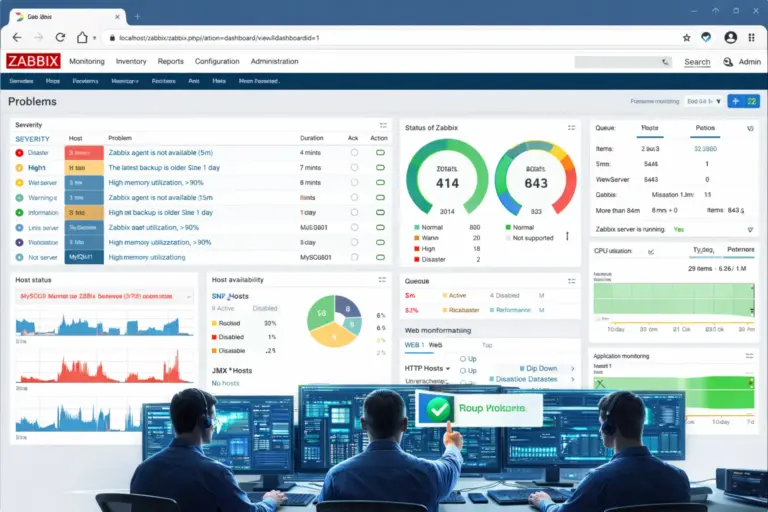
6. No Monitoring or Visibility
If no one is watching your network, problems go unnoticed until users complain.
Lack of monitoring means:
- No visibility into bandwidth usage
- No alerting for failing hardware
- No way to identify traffic hogs
- No historical data to troubleshoot issues
Proactive monitoring prevents small issues from becoming major outages.
7. Cabling and Physical Layer Issues
Not all performance problems are digital.
We frequently find:
- Old or damaged Ethernet cables
- Poor termination
- Incorrect cable categories
- Overloaded patch panels
Your network is only as strong as its physical foundation.
How Slow Networks Cost Your Business Money
Slow networks don’t just waste time — they:
- Reduce employee productivity
- Disrupt customer interactions
- Cause application timeouts
- Increase IT support costs
- Mask security issues
Over time, these hidden costs far outweigh the price of fixing the problem.
How to Fix It: Start with a Network Assessment
Before upgrading internet speed or switching providers, the smartest move is a professional network assessment. This identifies:
- Performance bottlenecks
- Security gaps
- Hardware limitations
- Wi‑Fi coverage issues
- Design flaws
With real data, improvements can be targeted, cost-effective, and future-proof.
Final Thoughts
If your business network is slow, your internet provider is usually not the real problem. The root cause is often inside the network itself — from outdated hardware and poor design to Wi‑Fi congestion and lack of monitoring.
A well-designed network should be fast, reliable, secure, and scalable.
Need Help Fixing a Slow Network?
JND Networks helps small and mid-sized businesses identify and resolve network performance issues through professional assessments, upgrades, and ongoing support.
📅 Schedule a free consultation to find out what’s slowing your network down — and how to fix it the right way.